mirror of
https://github.com/sesouthall/PCGameShuffler.git
synced 2026-04-23 15:39:52 -05:00

1.1 KiB
1.1 KiB
PCGameShuffler
A simple tool to shuffle PC games. Inspired by Brossentia and Authorblues' Bizhawk Shuffler
Usage
- Download and launch the shuffler
- Start the games you want to shuffle
- Be aware that when you start shuffling, the games will be in whatever state you leave them, so you may wish to do save selection, character creation, etc.
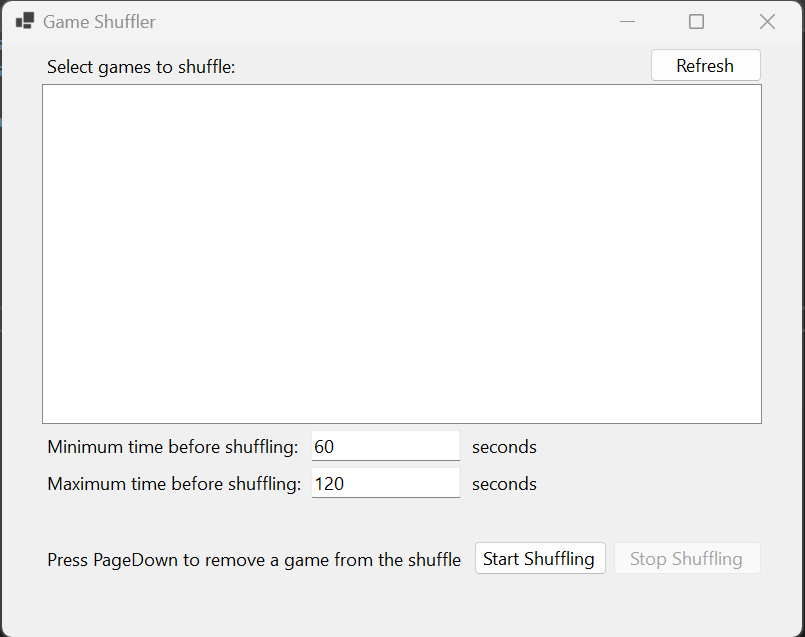
- Click Refresh to populate the list of processes available for shuffling
- Select the games you want to shuffle and change the minimum and maximum time between shuffles, if desired
- Click Start Shuffle
- All but one of the games should become minimized and unresponsive, the other should be maximized
- The active game will change randomly within the limits set
- Press PageDown at any time to remove the current game from the shuffle, and force-quit it
- Click Stop Shuffle to resume all games, and stop the shuffler