 7e846c96a8
Introduces an implementation for different currency strings depending on the chosen address in the Mobile Profile. Function credit goes to Damien. |
||
|---|---|---|
| .github | ||
| audio | ||
| constants | ||
| data | ||
| docs | ||
| engine | ||
| gfx | ||
| home | ||
| lib/mobile | ||
| macros | ||
| maps | ||
| mobile | ||
| ram | ||
| tools | ||
| vc | ||
| .gitattributes | ||
| .gitignore | ||
| .rgbds-version | ||
| audio.asm | ||
| charmap.asm | ||
| FAQ.md | ||
| home.asm | ||
| includes.asm | ||
| INSTALL.md | ||
| layout.link | ||
| main.asm | ||
| Makefile | ||
| ram.asm | ||
| README.md | ||
| rgbdscheck.asm | ||
| roms.sha1 | ||
| STYLE.md | ||
Information
A WIP fork of pokecrystal designed to restore and localize Mobile Adapter functionality such as online battles and trades to Crystal using disassembled code from the Japanese ROM designed for use with Mobile System recreation projects like the REON Project.
This repository is built upon a substantial amount of work done by Sudel-Matze.
A link to Matze’s repository can be found here: https://github.com/Sudel-Matze/pokecrystal
Screenshots


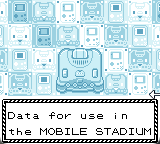
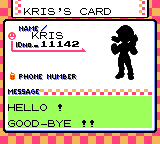


Setup 
For more information, please see INSTALL.md
After setup has been completed, you can choose which version you wish to build. To build a specific version, run one of these commands inside the repository directory in cygwin64:
-
US Version:
make -
EUR Version:
make crystal_eu -
AUS Version:
make crystal_au
For a more accurate experience, we advising picking the build version based on where you live as this will make different 'address' options available to you which are selectable for personal information.
The US Version covers the United States and Canada.
The EUR Version covers all countries in Europe (as of 2001).
The AUS Version covers Australia and New Zealand.
If you're looking for other languages, you can find them here: (https://github.com/pokecrystal-mobile)
But please note that they still require a lot of polish.
Using Mobile Adapter Features
To take advantage of the Mobile Adapter features, we currently recommend the GameBoy Emulator BGB: https://bgb.bircd.org/
and libmobile-bgb: https://github.com/REONTeam/libmobile-bgb/releases
Simply open BGB, right click the ‘screen’ and select Link > Listen, then accept the port it provides by clicking OK.
Once done, run the latest version of libmobile for your operating system (mobile-windows.exe or windows and mobile-linux for linux).
Now right click the ‘screen’ on BGB again and select Load ROM…, then choose the pokecrystal-mobile .gbc file you have built.
To-Do
- Finish restrictions on Pokémon names in EZ Chat Menu.
Contributors
- Pret : Initial disassembly
- Matze : Mobile Restoration & Japanese Code Disassembly
- Damien : Code
- DS : GFX & Code
- Ryuzac : Code & Japanese Translation
- Zumilsawhat? : Code (Large amounts of work on the EZ Chat system)
- Arves : Italian Mobile Translation
- Federx : Italian Mobile Translation
- FerozElMejor : Spanish Mobile Translation
- FrenchOrange : French Mobile Translation
- Lesserkuma : German Mobile Translation
- Muffet : German Mobile Translation
- REON Community : Support and Assistance